Developer Tools secrets that shouldn’t be secrets
Update: As this [is blowing up on Hackernews](https://news.ycombinator.com/item?id=29071700) I added information to each of the tips in which environment they are supported in parenthesis after each heading. When I state “Chromium browsers”, this refers to all browsers that use the Chromium core and also feature all the Developer Tools. This is Chrome, Microsoft Edge, Brave and many more. As a reminder: Microsoft Edge is the browser that comes with Windows 10/11 and is based on Chromium and thus from a platform perspective simular to Chrome. They differ in UX and services around the core. Edge Developer Tools work closely with Google on bringing the work we add to the product back into the Chromium Core. But some of the things I am talking about here are experiments and exclusively in Microsoft Edge, which is available on Windows, Mac and Linux. Some functionality is only available inside Visual Studio Code via the [Edge DevTools for VS Code extension](https://aka.ms/devtools-for-code) .
This is a talk that I’ve given at CityJS this September. I am a principal product manager for developer tools in Microsoft Edge and these are things I encountered during working on the tools, documenting them and going through user feedback.
You can watch the recording of the talk on Youtube .
7. You’re the audience and the clients of Developer Tools!
(Applies to all browsers, but channels shown here are Microsoft Edge only)
As a developer, you are the main audience for Developer Tools. We are open to your feedback and many of the recent changes to the tools are direct results from demands from outside developers. We try to make this as easy as possible by providing in-context ways to contact us directly. For example, the Visual Studio Code extension has prominent links and buttons for you to report issues and request features.
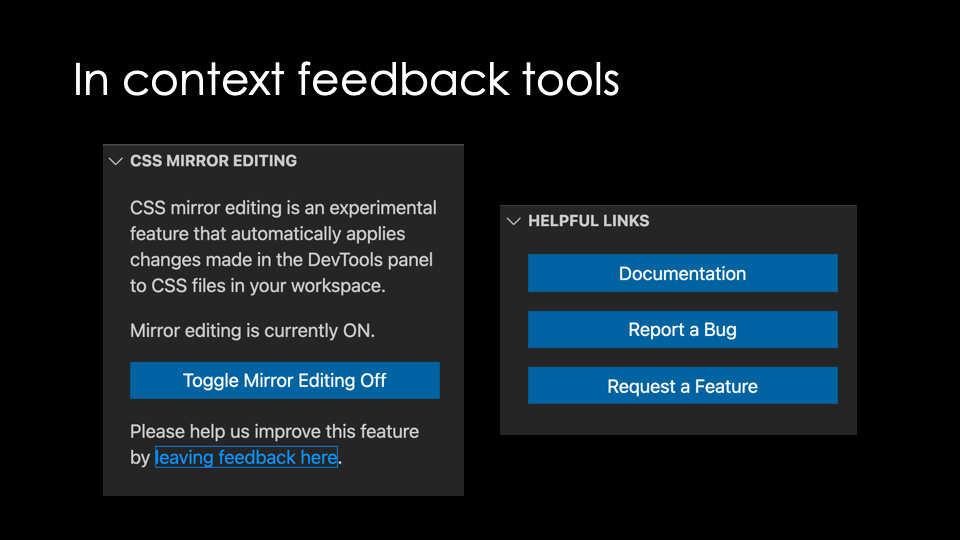
The source code of the extension is also on GitHub and you can file issues there.
The in-browser developer tools also have a direct button to give us feedback. To make it easier for you to provide actionable feedback, the button includes a lot of automatic information.
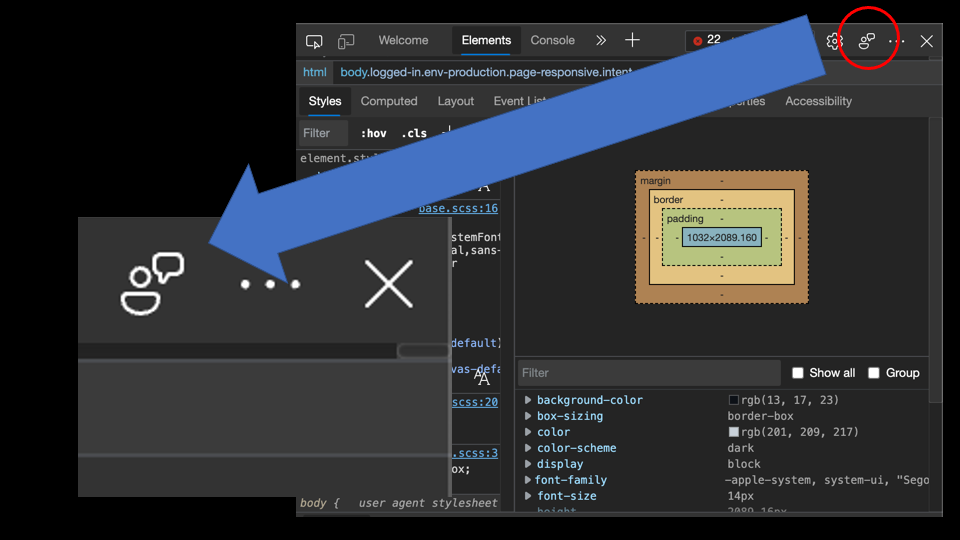
It records automatically what URL the issue happened on, takes a screenshot to include and offers to send diagnostic data. We also ask for you to provide an email in case we need more information and you can add attachments and info how to recreate the issue. We check this feedback daily, and a lot of great inventions and bug fixes came from that source.