Bringing Edge’s Developer Tools to VS Code for debugging Web Apps – a talk at VS Code Day
Today is Visual Studio Code day and I gave a talk about an extension to Visual Studio Code that helps you with avoiding context switching. If you want to listen to the talk, here is a pre-recording I did as a fallback should my connection not work out.
What you can do now…
- Inspect, edit and tweak the DOM structure of the product you build using the tools
- Inspect Network requests
- Interact with the browser inside VS Code
- Sync changes with your code (setting up Sourcemaps/Watchers)
- Choose the version of Edge you want to have in the tool
-
Choose an own browser window or a headless version (embedded in the extension) Things we learned building this extension:
- Making a complex interface like developer tools keyboard and screenreader accessible is hard
- Embedding this interface in an IFRAME in an extension makes that even harder
- There are quite some differences in keyboard handling between Mac and PC
- Mac OS doesn’t like browser windows running the background (use headless)
-
The Chromium version of Electron lags a few versions behind the main build (naturally) Feature History (based on user feedback and research)
- Elements tool was first – everybody uses that one
- Network tool was next
- Re-architected the extension to allow for contribution without having to download and build the whole of Chromium
- Allowed for any version of Edge (previously only Canary)
- Added Edge driver as a dependency – earlier you needed to install both extensions
- Headless Mode
- Themes (Dark/Light) The extension is open source and available on GitHub. We deal with all of our feature requests and user interaction there. We’d love to hear from you and see what you can come up with. The features of this extension are driven by user requests and telemetry in the browser developer tools and we want to build what you need. So please, tell us what’s missing.
That said, one idea we have right now is to make yet another context switch unnecessary.
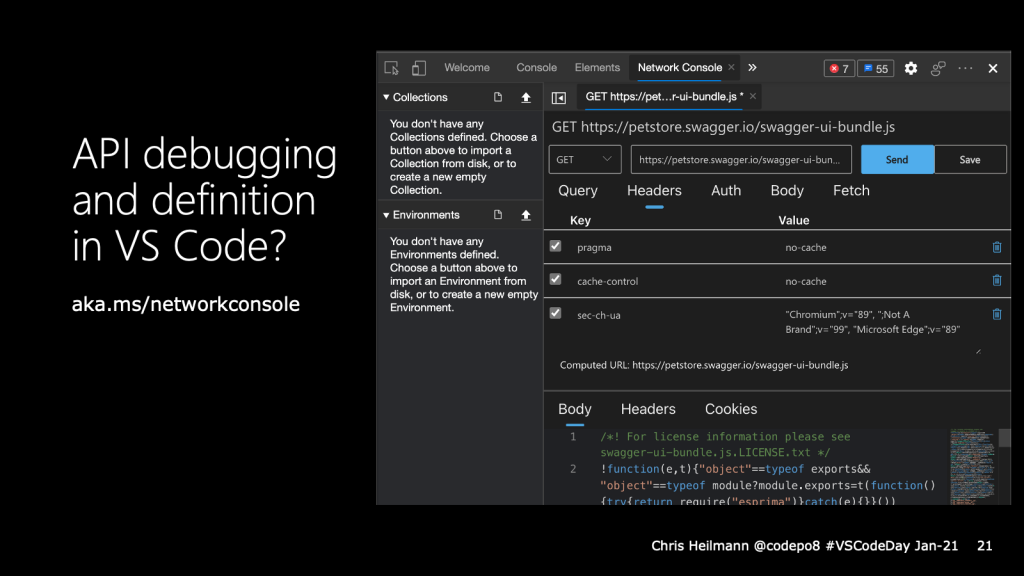
It is great that you can already inspect network traffic in the browser developer tools. But when things go wrong with an API call you still have to use a third-party tool or the terminal.
This is why we added an experiment that allows you to ”edit and resend” any network request. Editing the request opens the Network Console, which allows you to tweak the request parameters, authentication options or even import API collections and environments. That way you could fix any API issue directly in Visual Studio Code. What do you think? Tell us on GitHub.
And that’s all we have time for. I’d love for you to give the developer tools extension a spin and come to GitHub to work with us!