CSS is awesome: A dark/light mode switch with preference detection in 15 lines of CSS
I just love how far CSS has come in the last few years. With custom properties and media queries you can achieve so much in just a few lines of code.
For example, these 15 lines make sure that users of light mode in their operating systems get a black on white document and those with a dark mode setting a white on dark one:
:root {
  --foreground: #111;
  --background: #f8f8f8;
}
@media (prefers-color-scheme: dark) {
  :root {
    --foreground: #f8f8f8;
    --background: #111;
  }
}
body {
  font-family: helvetica, sans-serif;
  color: var(--foreground);
  background: var(--background);
}
We define two properties called foreground and background and set them to dark on white as a default. We then check if the preferred colour scheme is dark using a media query and flip them if it is. Instead of fixed colours for color and background we use the properties and that’s that :).
You can try it out in this codepen. Users of dark mode should get a dark document, others a light one.
See the Pen [
Target styling demo](https://codepen.io/codepo8/pen/ExgqXRW) by Christian Heilmann ([@codepo8](https://codepen.io/codepo8))
on [CodePen](https://codepen.io/).
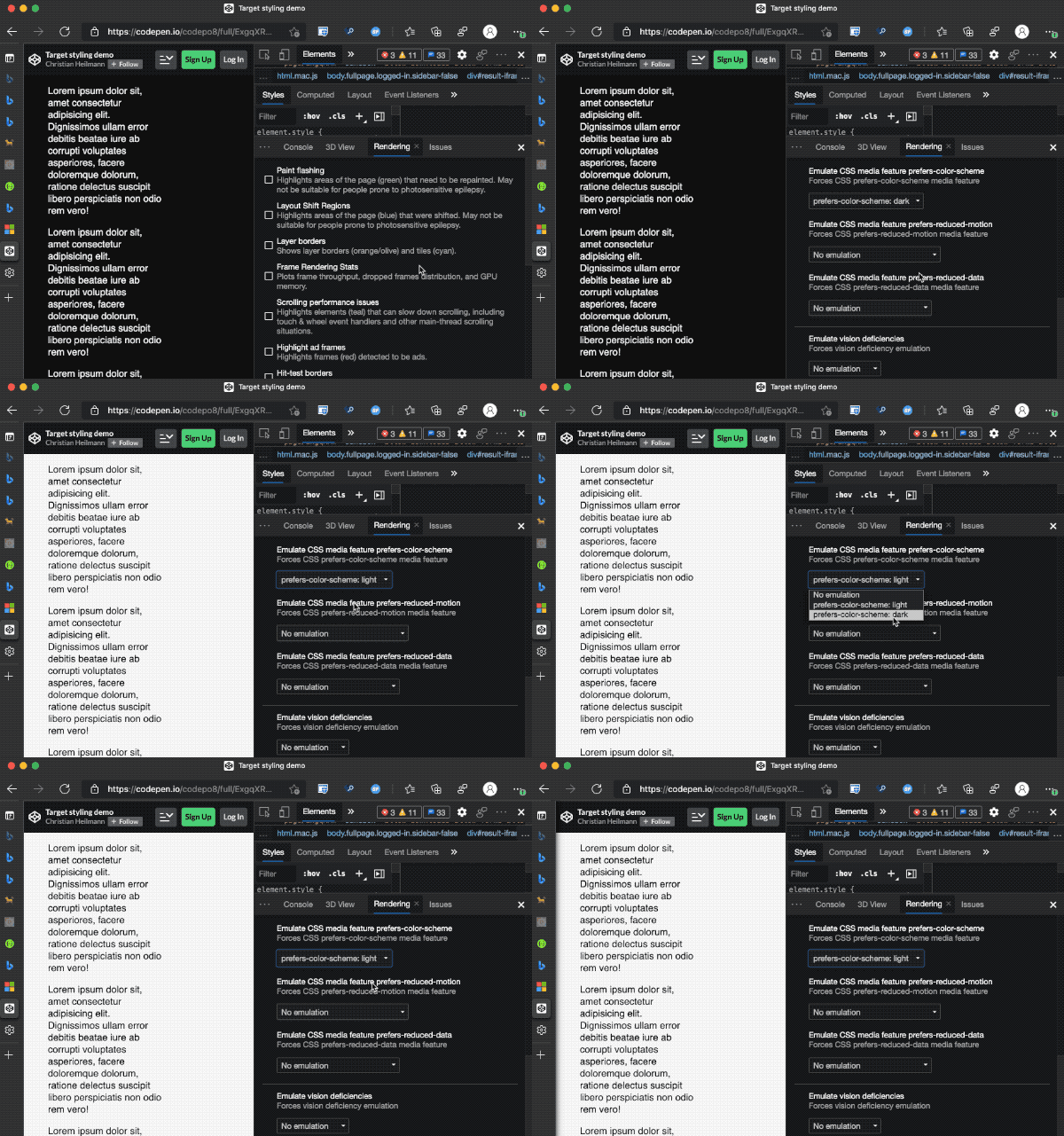
You can try this out using the simulation options in Browser Developer tools :
CSS tricks has a great article that covers all on media queries if you want to learn more.