First impressions of my HoloLens
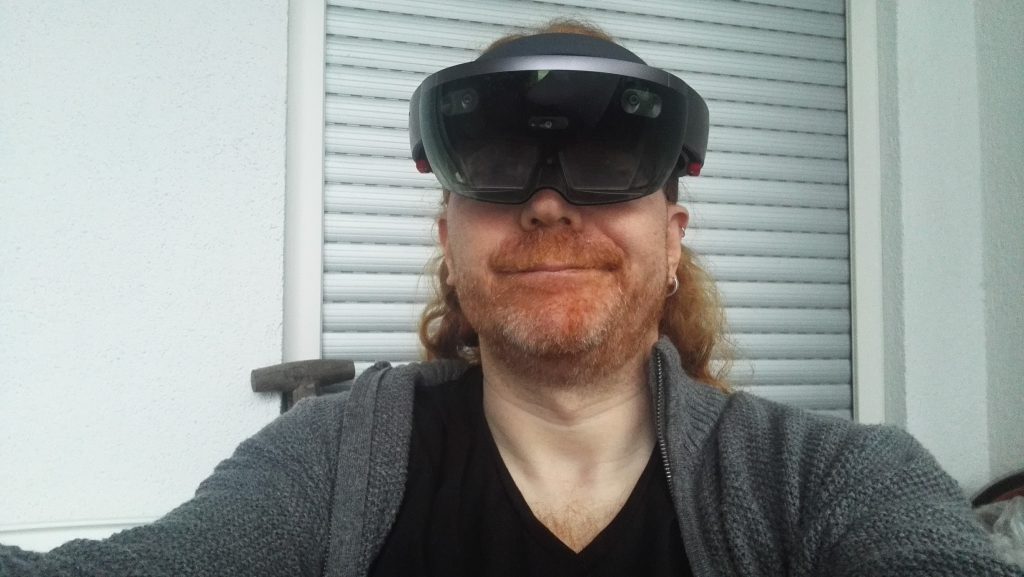
I am now proud owner of a HoloLens. I am not officially trained up on it yet as a Microsoft Employee. But I wanted to share the first impressions of setting it up and using it.
These are my personal impressions and not an official stance by my company. I’m sharing my first excitement here. I hope can make some people understand what is happening here.
This is also just a user POV as I haven’t started developing for it yet, but this will happen soon – promised.
HoloLens is unique
First of all, it is important to understand that HoloLens is something pretty unique. Every time I mention it people start making comparisons to the Occulus or Vive, but those don’t work.
A high-powered, multi camera mobile on your head
HoloLens is a self-contained computer you wear on your head. You don’t need anything else. It is not a peripheral, there is no other computer or server necessary. This is important when considering the price. Many VR headsets are much cheaper, but they aren’t Mixed Reality and they need a hefty computer to run. It doesn’t even need an internet connection all the time. Just because you wear them on your head doesn’t mean you can compare these products on even ground.
You should plan coding for it like a mobile phone on your head in terms of CPU/GPU power. The specs are high, but the demand of the way it works are, too. If you build for HoloLens be conservative with the resources you need – you’ll make me happy. Waiting isn’t fun, even when it is a floating animation in your room.
Your natural movement is an event
HoloLens is a system that uses natural motion of your head and body to explore an augmented space. This means you don’t lose connection to the real world – you still see it through the device. What you get is a constant analysis of your surroundings and Holograms overlayed on it. You open apps and either use them floating before you or dock them to a wall to use later when you look at said wall. You distribute your work space in your living space – without needing to go to IKEA to buy furniture.
This means the way you move and where you look become events software can interact with. The “gaze” gesture, which is “looking at something” is akin to a hover with a mouse. The “air tap” gesture is a click or submit.
That way the relative small size of you viewport compared to Occulus or Vive is less relevant. You’re not stuck in it as your viewport follows your head movement. You’re not supposed to have a whole takeover. HoloLens is there to augment the world – not replace it.
Your whole body is now an event trigger. Instead of learning keyboard shortcuts, you learn gestures. Or you can use your voice.
Gestures vs. Voice Recognition
You can use your hands to select and interact with things. Or you can say “select” to interact and “next” to move on in menus. Voice recognition is always on and Cortana is just one “Hey Cortana” away. You can use it to open apps, search the web, research, all kind of things. It still feels odd to me to talk to my phone. I am on Android, maybe Siri is a better experience. It feels more natural to talk to a voice in a space of apps I distributed around my house.
Spatial sound
HoloLens has a lot of speakers built in which allows you to hear sounds from all directions. This is pretty amazing when it comes to games like RoboRaid:
Some niggles I have
It is important to remember a few things about the HoloLens:
- It isn’t a consumer device but for now a B2B tool. On the one side there is the high price. And there is a focus on working with it rather than playing games.
- It is not an outside device. HoloLens scans your environment and turns it into meshes. After it created the meshes it stores them in “spaces” avoiding the need to keep scanning. Outside this means a constant re-evaluating of the space. This is expensive and not worth-while. So there is no danger of a re-emergence of the annoying Google Glass people in the street. It stilll is disconcerning to look at someone not knowing if they film you or not.
- I agree with a lot of other people that there should be a way to have several user accounts with stored calibration info on a single HoloLens. Whilst you can share experiences with other HoloLens users, it would be great to hand it over without recalibration and giving someone else access to my Windows account.
- There should be a way to wipe all the Holograms in a space with a single command. When you let other people play with your device you end up with lots of tigers, spacemen and all kind of other things in your space that you need to delete by hand.
- Whilst it is easy to shoot video and take pictures of your experience, the sharing experience is very basic. You can store it to OneDrive or Facebook. No option to mail it or to add Twitter. That said, Skype helps with that.
This is truly some next level experience
I am sure that there are great things to come in the VR/AR/MR space. Many experiences might be much more detailed and Hi-Fi. Yet, I am blown away by the usefulness of this device. I see partners and companies already use it to plan architectural projects. I see how people repair devices in the field with Skype instructions from the office. I get flashbacks to Star Trek’s Holodeck – something I loved as a teen.
It is pretty damn compelling to be able to use your physical space as a digital canvas. You don’t have to leave your flat. And you don’t run the danger of bumping into things while you are off into cyberspace. It is augmentation as it should be. In a few years I will probably chuckle at this post when my cyber contacts and ear piece do the same thing for me. But for now, I am happy I had the chance to try this out.