Fixing a webkit-only effect using Sublime Text
Afra Noubarzadeh just blew me away with his painting using Style Sheets, completely created in Chrome Devtools. It looks like this (scaled to size):
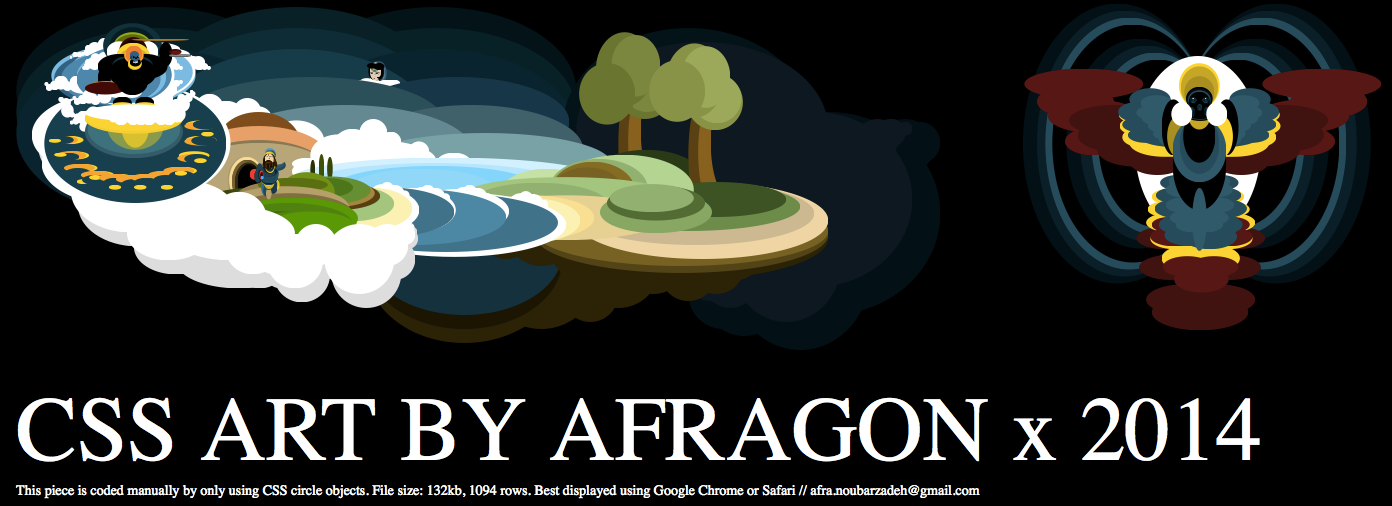
Afra also recorded a video of him creating it:
As Sublime Text is full of awesome, all I had to do was:
- Fix the unclosed DIV elements (discovered as Firefox highlights HTML syntax errors in red) – search for /div\n – find all, replace \n with > and linebreak
- Select all –webkit–[^;]+ instances
- Copy them, and paste them after the ;
- replace all –webkit–; with ;+Space
Voilà, it works for Chrome, Safari and Firefox. Of course, I was lucky. As Afra’s original code was amazingly clean, I could write very simple RegEx :)
Remember: do not rely on –webkit– – it will hurt you very, very soon!